


Choose a website you would like to get assistance with. For example, personal finance, medical portals, or school portals.
Log into the website.
Jatter will ask permission to learn the site as you browse. Grant permission by clicking Enable.

You can change your mind about allowing Jatter to learn a site by managing the privacy and security settings of that site.
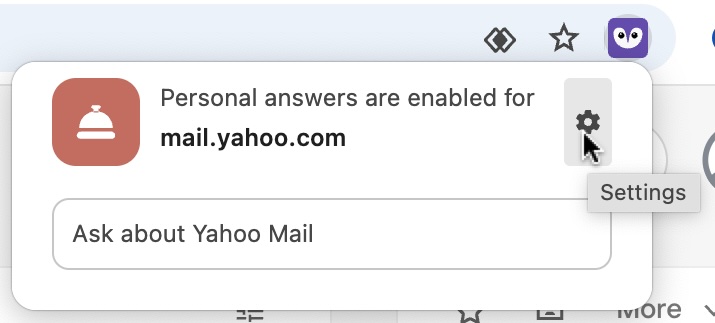
To manage answers for a particular site, navigate to that page and click on the Jatter icon in the right of the navigation bar, then click the Settings icon. This brings you to the privacy and security settings for that site. Scroll down to Personal answers. From here you can select Allow, Block, or Ask.
Go to every page you’d like Jatter to learn. Jatter will also learn opened or downloaded PDFs from the site.
Jatter is now ready to provide answers about the website.