


Camera Settings
The camera settings can be accessed by going to Settings > Privacy and security > Site settings > Camera:
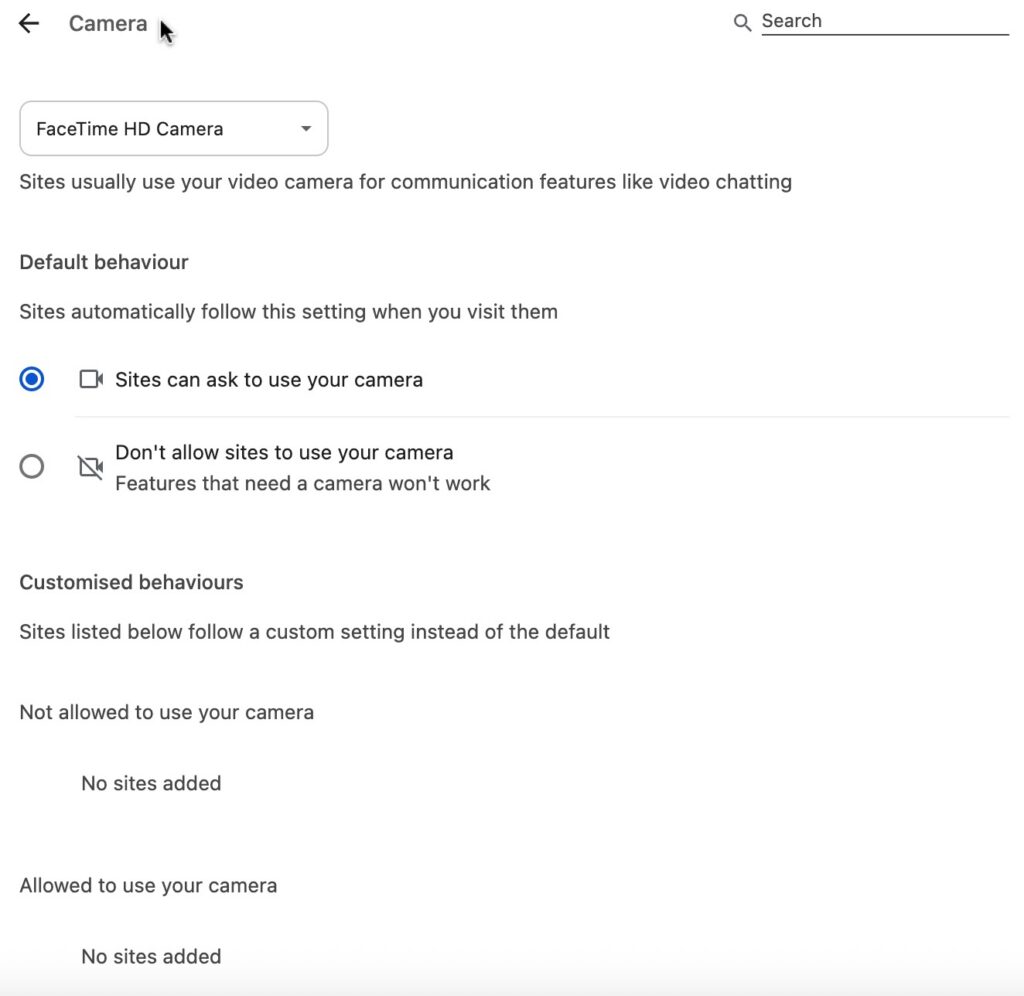
From this page, you can control which camera to use, whether sites can ask for permission to access your camera, and custom camera access settings for particular sites.
Microphone Settings
The microphone settings can be accessed by going to Settings > Privacy and security > Site settings > Microphone:
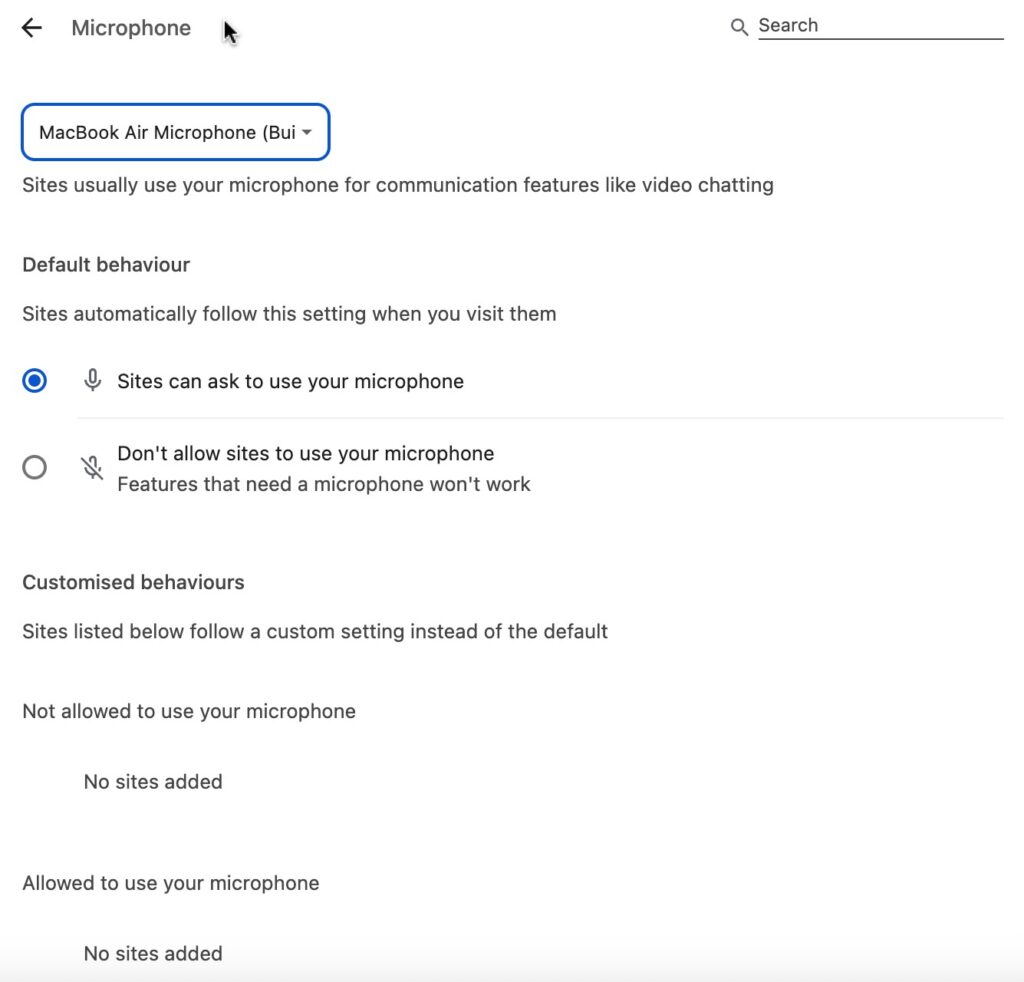
From this page, you can control which microphone to use, whether sites can ask for permission to access your microphone, and custom microphone access settings for particular sites.